HARMONIC EXPLORATION
Chords and voicings
Compare chord shapes, extensions and alternate harmonic options inside the musical context.
Visualize the music. Hear the relationships. Discover possibilities you never had time to explore — all in one connected guitar practice environment.
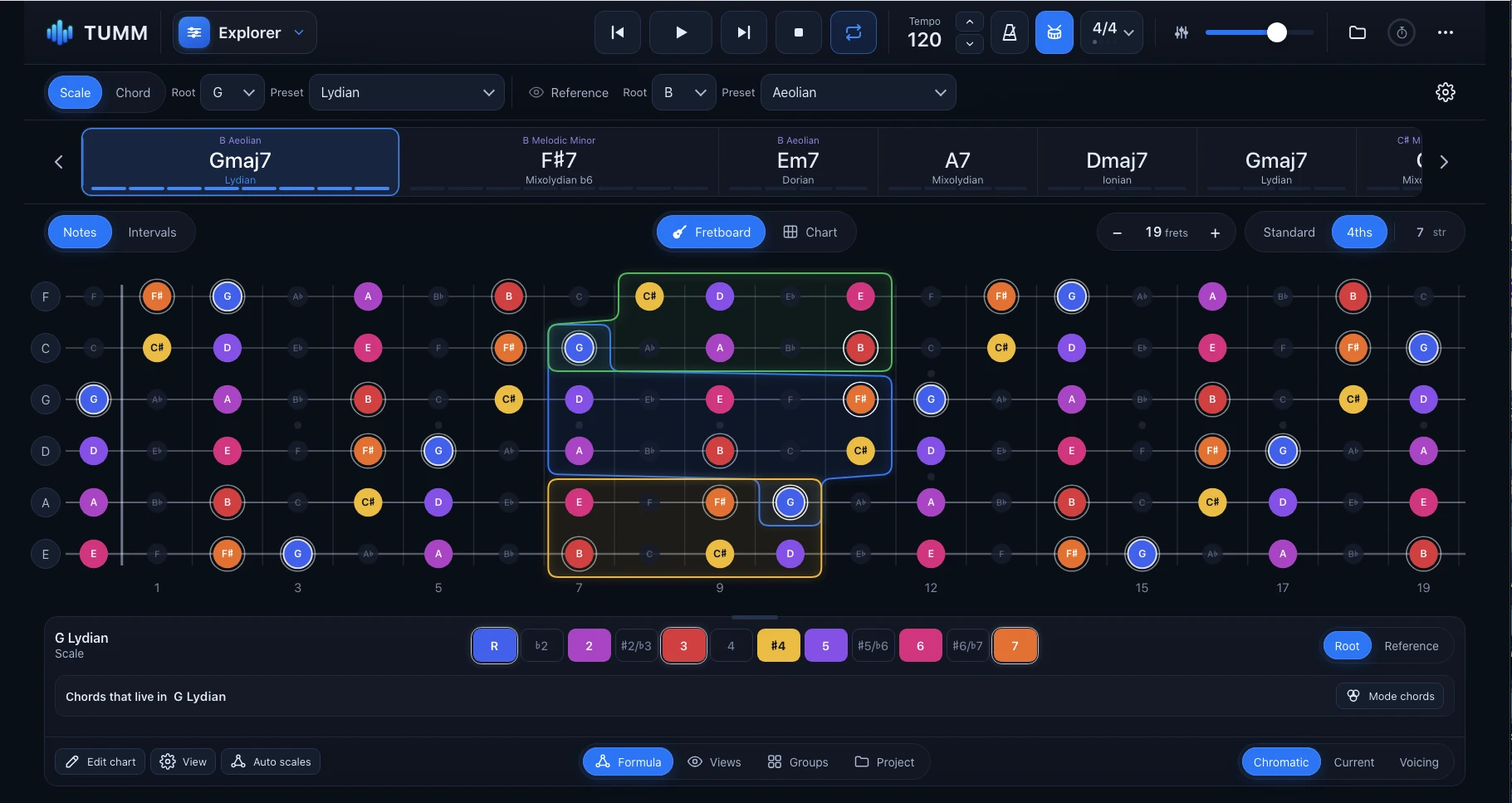
Scales, chords, harmony, rhythm and ear training don't happen separately when you play. TUMM helps you connect them, so everything you study becomes part of a richer musical language.
See musical relationships across the fretboard instead of spending hours preparing charts.
Move between harmony, patterns and musical application without losing context.
Try new chords, voicings and directions. Compare options and listen for what inspires you.
Build relative pitch through real musical situations designed around guitar playing.
Instead of tiny screenshots in identical cards, explore each part of TUMM as its own musical environment.
Study progressions, scales, chord functions and alternate voicings. Visualize what changes as harmony moves, with playback for practice and improvisation.
True fretboard colors. Real harmonic relationships.
Build sequences and patterns over a progression. Select start points, transform your ideas and connect fretboard visualization with playable tablature.
Create structured studies in different styles and levels of difficulty. Work with meaningful harmonic movement, not just disconnected finger exercises.
Practice responding to generated progressions, harmonic directions and stylistic choices. Build your improvisational confidence in a changing musical context.
Develop relative pitch through melodic and harmonic exercises grounded in chords, musical context and the guitar fretboard — not just isolated tones.
Make comparisons that used to require separate charts, lookup tools and manual preparation. The details are where discoveries happen.
Compare chord shapes, extensions and alternate harmonic options inside the musical context.
Navigate families of modes and compare their interval structures, colors and relationships.
A unified guitar practice environment designed for Mac desktop and iPad. Explore harmony on a larger screen, or keep TUMM beside your instrument during practice.
The iPad images shown here are actual screenshots, at their native 4:3 proportions. The Mac interface is shown elsewhere on this page. Release details are still being finalized.
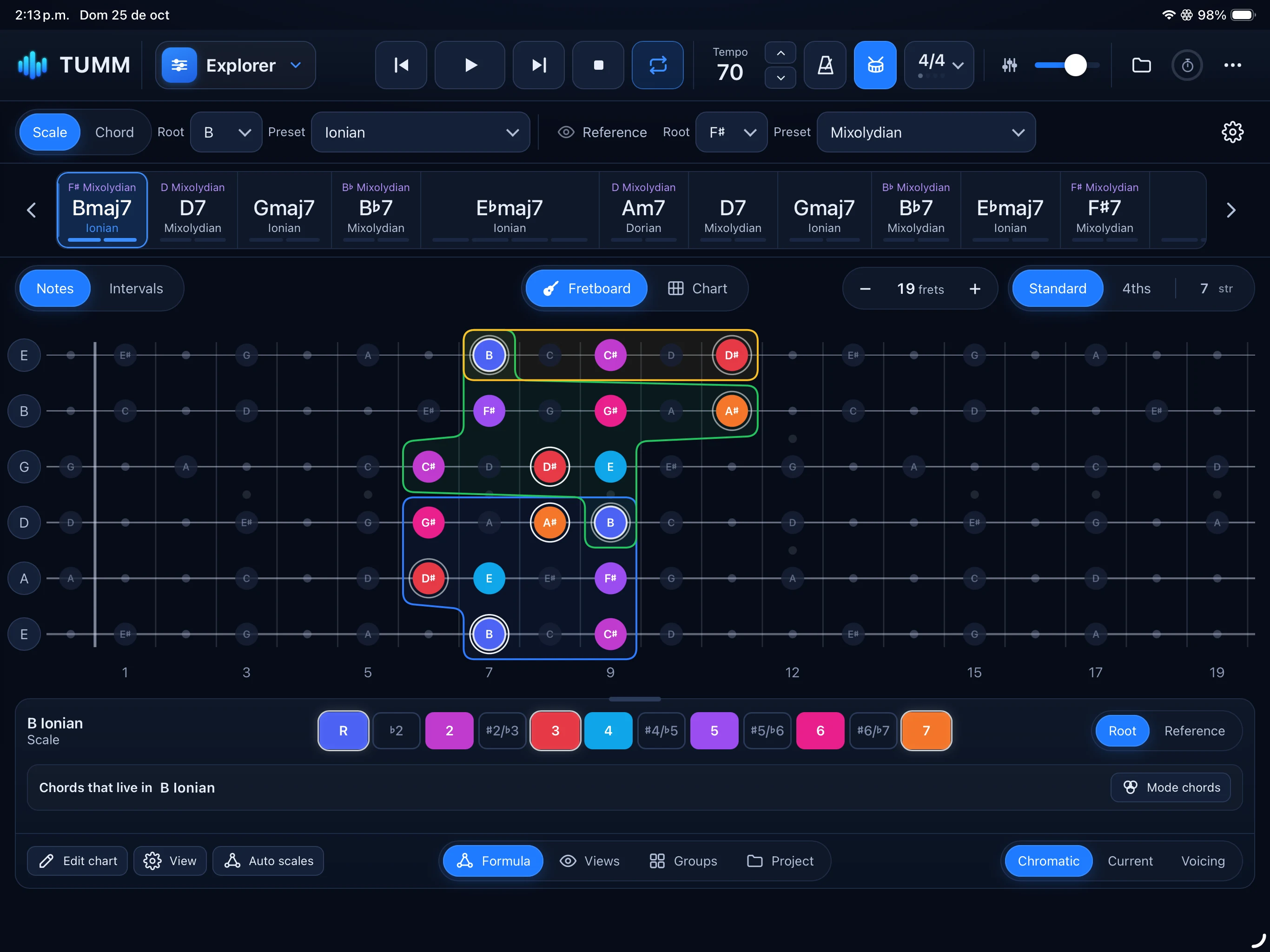
Actual iPad interface · Original proportions preserved · No stretching or cropping
Begin with one progression. Understand it, turn it into practice material, then explore how it sounds when you play.
Discover scales, chord tones, voicings and harmonic movement.
Create sequences and studies based on real progressions.
Improvise, train your ear and practice rhythm in context.
Open TUMM and have the tools to explore, experiment, focus and play.
TUMM is in active development; features and module details may evolve.

Created by guitarist and educator Javier Leal, TUMM grew from more than 30 years of musical exploration. First built as a personal one-stop environment for practice, it evolved through teaching and work with students.
The mission is simple: make musical relationships easier to see, hear and use — and give musicians more room to discover their own possibilities.
Explore the supplied TUMM development build directly. This is the actual app interface, not an animated mockup.
For the best experience, open the app in a separate desktop browser tab. Not all features are final.
See the music more clearly. Discover new possibilities. Make every practice session count.
Explore TUMM ↗Development preview · No purchase or release availability implied